xYago Companies

An operation that doesn't depend on a single head.

Shifts, areas, hours and approvals in one panel. What your team does on mobile arrives here with its time and its author, so auditing stops being a reconstruction.

xYago Companies illustration
The panel

The whole operation
on one screen

xYago admin panel with the employees table

The problem nobody talks about.

What xYago puts back in its place.

The real risk to your company isn't in sales — it's in internal disorder.

Turn on xYago and the disorder becomes an operation you can see and delegate.

  • Non-existent knowledge transferKnowledge that stays in the company

    The know-how lives in the manager's head. When they quit, it's all lost.

    The know-how is documented in the company. If someone leaves, the process goes on.

  • Roles and tasks nobody can explainRoles and tasks everyone understands

    Everyone "does what they can". Nothing is documented.

    Everyone sees their role, their tasks and their shifts — written down and up to date.

  • Companies that rely on memory, not systemsCompanies that rely on systems, not memory

    When the structure depends on people, the operation is fragile.

    The structure lives in the system: the operation survives team changes.

  • Processes built on chats, photos, emails and loose foldersOne operation, not ten channels

    You can't grow or delegate like that.

    One place for calendar, hours, documents and conversations. Delegating stops hurting.

The impact

What changes when xYago holds the operation together

The numbers that describe the disorder today are the same ones that stop applying to you.

82%of companies don't have their processes documented
21%of losses come from duplicate invoices
0traceability for anything approved by word of mouth
1single person holds up what nobody else knows how to do
What it solves

What lives in someone's memory today lives in the system tomorrow.

Four gaps that show up in every operation without a method, and how xYago closes them.

Today

Nobody knows who approved what

Verbal permissions, hours adjusted over WhatsApp and decisions that only exist in a chat.

With xYago

Every action with time and author

Approving, rejecting or correcting leaves a trail. The history is the document, not an email you have to hunt down.

Today

Coverage gaps are found too late

The short shift shows when people are already missing, or at month-end with hours squared by hand.

With xYago

Load per area, day by day

The calendar flags critical, optimal and surplus. You reassign before it becomes a problem.

Today

Documents are sent one by one

Payslips, contracts and annexes handed out manually, with no idea who opened them.

With xYago

One file, the whole team

You upload the payroll batch, the system matches each page with its employee and flags what it doesn't recognize.

Today

A turnover takes the knowledge with it

When someone leaves, the criteria, the contacts and the way of doing things leave with them.

With xYago

Roles, not habits

Each area has its tasks, requirements and documents. The replacement steps into a defined role.

Features

The panel that manages the people and the method.

Each block solves one concrete task in the administrator's day.

01 · EMPLOYEES

Your entire staff in a table you read at a glance.

Who's active, which area they belong to, how to reach them and whether their payslip is up to date. Tap a name and you're in their full profile.

  • Search and filters by status or assignment
  • Profile with schedule, skills and vacations
  • Onboarding, deactivation and a contact for queries
Employees table in the xYago panel
02 · SENT DOCUMENTS

You know who received it, who opened it and who approved it.

Every delivery keeps its date, its recipients and each one's read and approval status. What the system couldn't match shows at the top, under Unassigned, waiting for you to assign the employee.

  • Accepted, read and unanswered, per document
  • Pending-assignment block with direct action
  • Search and filter by delivery status
History of sent documents, with the pending-assignment block
03 · DOCUMENTS & PAYROLL

One compiled file, one payslip per person.

You upload the full period's PDF. xYago splits the pages, reads name, ID and period, matches each employee and flags what it doesn't recognize for review.

  • Automatic matching with confidence level
  • PDF preview before sending
  • Bulk delivery with recipient approval
Upload panel for the compiled payroll file
04 · HOURS & TRACEABILITY

Every hour has its time and its author.

What the team clocks from mobile arrives at the panel with evidence. If someone edits a workday, it records who, when and why.

  • Record with overtime and infractions
  • Filterable history per employee
  • Approvals and tickets with a trail
Employee profile with the month's hours record
Two sides

What your team does on mobile, you see on the panel.

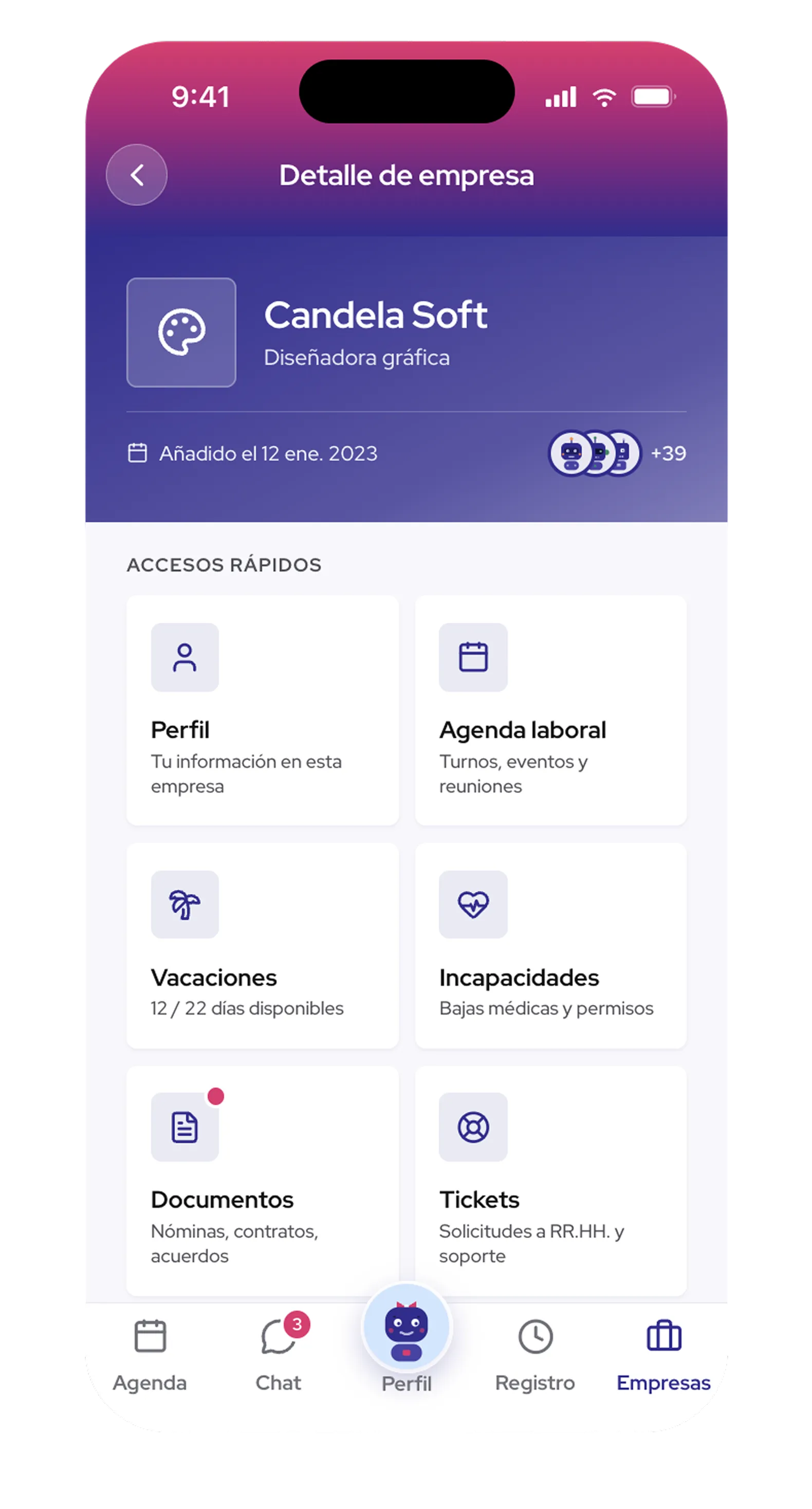
The app isn't a separate tool: it's the other end of the same system. Everything the employee records from their phone reaches the panel with its time and author.

Employee app

What your team carries in their pocket.

  • Knows what's on today. All their shifts in one calendar.
  • Clocks anywhere. In, pause and out with one tap.
  • Requests and signs without emails. Leave and documents in their profile.
  • Understands their shift. Chat and automatic translation.
Company panel

What you see from your desk.

  • Publish and cover. Shifts per area and the day's coverage.
  • Hours squared. Every workday with its time and author.
  • Approve and distribute. One batch becomes one document per person.
  • See the state of everything. Who read and who approved.
What they say

People who stopped managing from memory.

“I used to spend two days squaring the month's hours. Now I open the panel and they're there, with who edited them and when.”

MR
María R.Administration · restaurant chain

“Payroll changed the most. I upload the batch, review the four doubtful ones and it goes out to the whole team.”

JS
Julián S.Human resources · retail

“When someone leaves, the role stays defined. It used to leave with the knowledge; now it stays in the system.”

CL
Carolina L.Operations · logistics
FAQ

What people ask before getting started.

Does my whole team need the app?

You can start with one area. Anyone who doesn't use the phone still appears in the panel; their manager records their hours, and the evidence remains the same.

What about the data I already have in spreadsheets?

You import the staff list, areas and schedules. Historical documents can be uploaded in batches and stay linked to each person.

Does it work if an employee works for several companies?

Yes. The person sees all their companies in one calendar, and each company sees only what belongs to it.

Are payslips sent automatically?

The matching is automatic, the sending isn't. You review what the system deduces, correct what it didn't recognize and confirm. Nothing goes out without your approval.

Who can see what?

Permissions go by role. An area manager sees their area; administration sees the whole operation; the employee sees only their own.

By industry

The same method, adapted to your sector.

Shifts, standards and permissions change by industry. The order they bring doesn't.

Situation

High turnover and recipes in the head chef's head

  • Shifts rebuilt every week over chat
  • New hires learning by watching
  • Till closings without a shared standard
With xYago

Role matrix and documented processes

  • Rotation by skills, not loose availability
  • Recipes, checklists and openings in the system
  • Internal training that doesn't depend on one person
Situation

Every store runs its own way

  • Manuals in different folders per store
  • Returns and cash without a standard
  • Coverage hard to compare across locations
With xYago

One replicable standard per store

  • Identical opening and closing procedures everywhere
  • Knowledge accessible from mobile
  • Shifts and hours comparable across stores
Situation

On-call shifts, leave and certifications at the limit

  • Last-minute shift changes
  • Certificates expiring without warning
  • Demanding time records by regulation
With xYago

Coverage and requirements under control

  • Skills and certifications per role
  • Leave with traceable approval
  • Hours with audit-ready evidence
Situation

Deliverables and rework without a trail

  • Approvals scattered across emails and messages
  • Pipelines only known by whoever built them
  • Project hours estimated by eye
With xYago

Creative flows with a method

  • Documented design and QA pipelines
  • Centralized deliverables and approvals
  • Real hours per client and project
Situation

Staff on the road, control at the office

  • Clock-ins on paper or by phone call
  • Incidents reported after the fact
  • Documentation spread across warehouses
With xYago

The operation reports from where it happens

  • Mobile clock-in with time and location
  • Incidents per area, in the moment
  • Documents and signatures without returning to the office
Start today

Document your operation before the next turnover.

Create your company account, load your staff and within the first week you have shifts, hours and documents in one place.

No installation. Your team joins from mobile the same day.