AI-assisted writing
Draft, summarize or adjust the tone before sending. The AI suggests — you decide what leaves the chat.
Suggested by AI
More formalShorterSummarize All your work chats in one place, translated into everyone's language, with video calls and something to break the ice. And right beside them: your shifts, your hours and your documents.

Draft, summarize or adjust the tone before sending. The AI suggests — you decide what leaves the chat.
A quick in-chat game to break ties over shifts — or break the ice.



Everyone writes in their own language and reads in theirs, with the original one tap away.
From message to call without switching apps, with the conversation thread right beside you.

When you're at a computer there's no need to pull out your phone. Sign in at web.xyago.com and find the same conversations, the same super chats and the same groups, synced instantly.
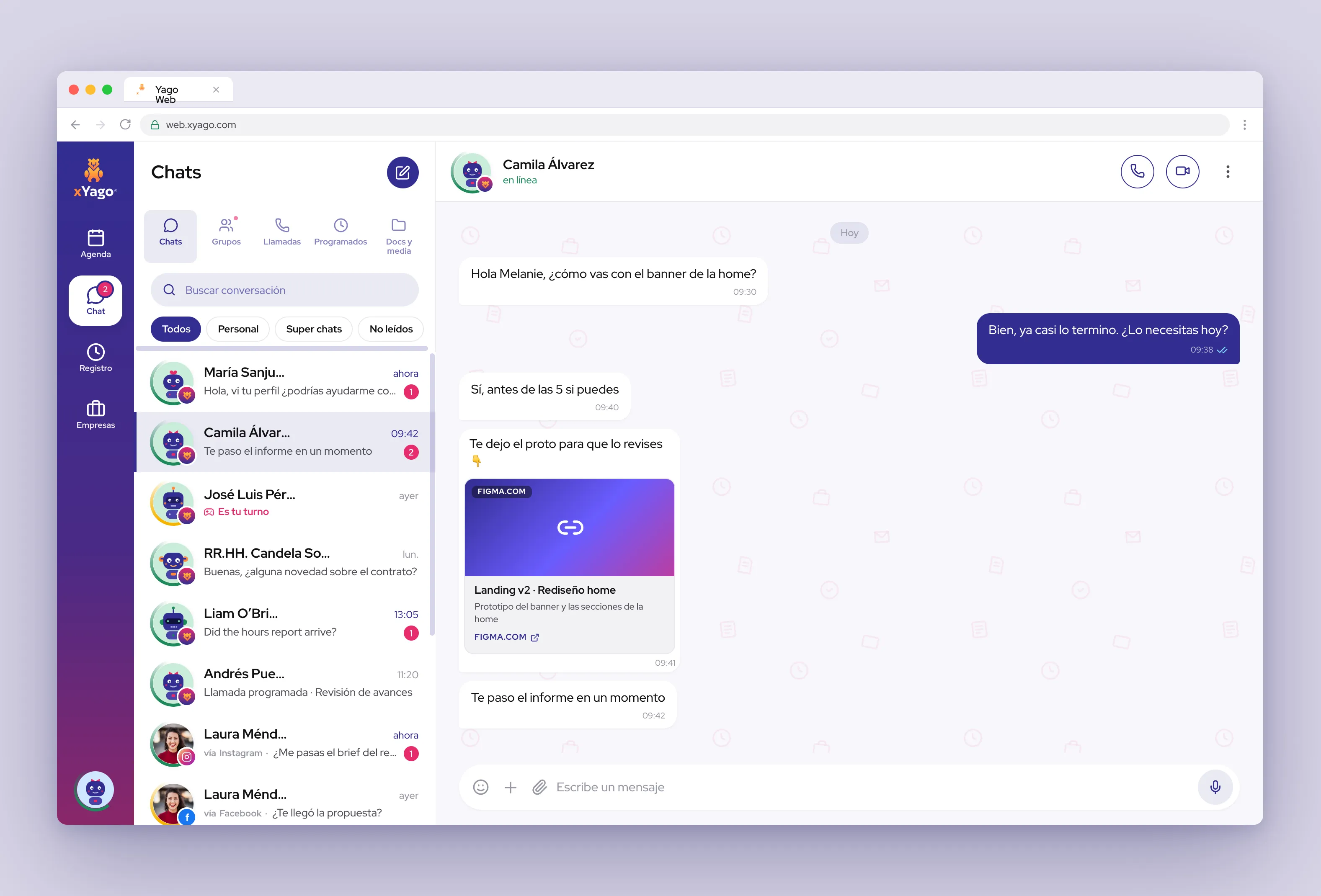
Translation works in two independent directions and is configured per chat. The message keeps its original: anyone can switch between what was written and what was sent.
xYago chats and those from the networks you link live in the same inbox, each with its badge. If the same person writes to you through several, you merge their chats into one.
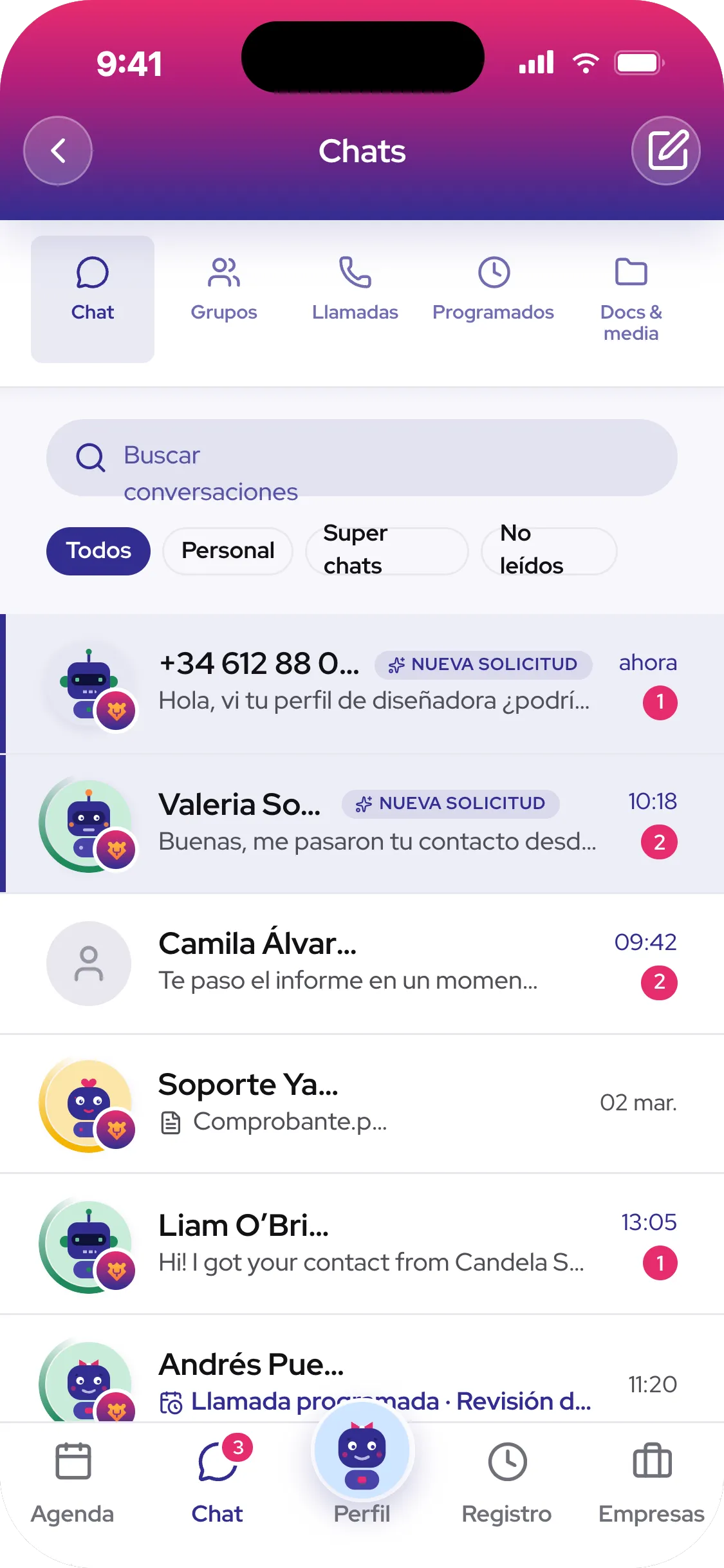
An in-chat game to decide who closes, who covers or who's buying. One-on-one or in a group, with elimination rounds until one person is left.



If you work for more than one, the shifts live in the same calendar. You clock in, pause and clock out with one tap, and the record generates itself.
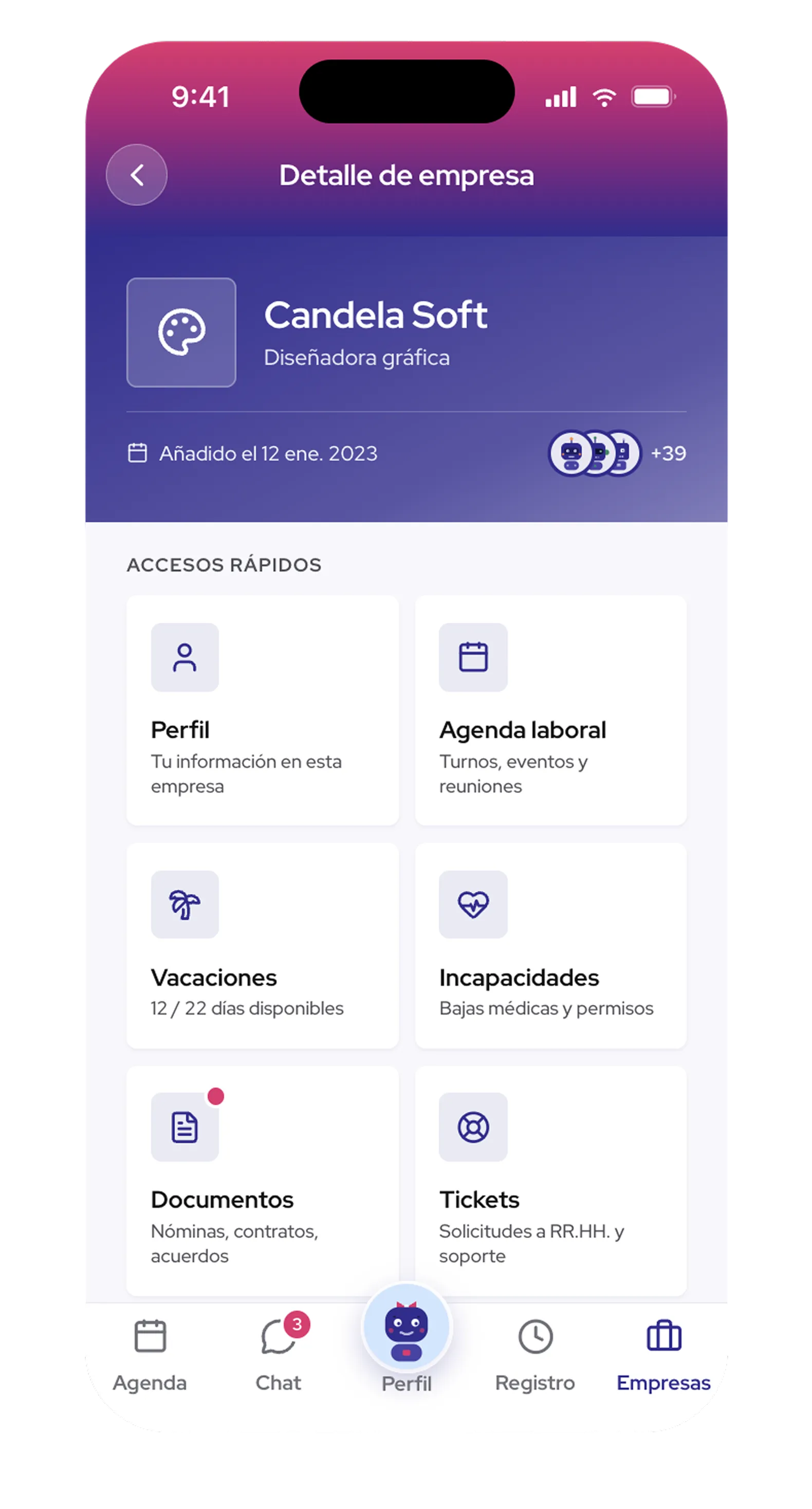
What the company sends you lands in your profile, not in an email you have to dig up. Sign, approve and consult whenever you need.
Four everyday frictions, and how they disappear inside xYago.
The shift is announced in one place, the document arrives in another, and the important message gets lost between groups.
Every conversation shows which company or network it comes from. If it's the same person on several, you can merge their chats into one.
Copy, paste into the translator, come back, reply. And you still don't know if it landed.
You read in your language and write in your language. The app delivers the message in the other person's, and the original is always one tap away.
Meeting links pasted into chats, invitations that expire and teams that never match.
You call from the conversation you were already in, one-on-one or in a group. No links, no rooms to create.
Shifts by screenshot, hours jotted down by hand and payslips you have to ask for.
Clock in with one tap, see your day when you close it, and your documents stay saved in your profile.
Beyond what happens inside the conversation, the chat knows where each message comes from and who you work with.
Each conversation shows whether it's from xYago or a linked network. The photo and badge tell you without opening it.
If the same person writes to you through two channels, merge their chats into one. Unmerge whenever you want.
Your shift's group, your area's and the company's, with documents and media at hand.
“I work in two places. I used to have two calendars and my shifts overlapped. Now I see them together and it doesn't happen anymore.”
“In the kitchen we're from four countries. The group's translation removed half of our misunderstandings.”
“The rock-paper-scissors thing sounds like a joke, but it's the fastest way to decide who closes.”
No. Work chats belong to the conversation they happen in, and your personal chats are yours. The company sees your hours and your documents, not your private messages.
The original is never lost: every translated message carries the option to see the text as written, and the message details show both versions.
The app already supports linking external messaging accounts by QR code. Linked chats appear marked, and you can merge them with the same person's native chat.
That's exactly what it's built for. Each company sees only what's theirs, and you see all your shifts in one calendar.
Yes. Rock, paper, scissors only opens when someone proposes it in the chat, and each person decides whether to play.
For shifts and documents, yes. Chat, translation and video calls work just the same with your personal account.
Create your account with your phone, link your platforms and add your company whenever you want.
Available on the App Store and Google Play.